Pixel 11 Pro Features: Magic Capture, Improved Camera, and Faster Night Sight
-
The Pixel 11 Pro is a great phone, no thanks to its flashiest new features Forget HiLight and Proactive Assistance. The Pixel 11 Pro is at its best with focused new tools that actually work.
Compare 6 other versions
ZDNetSo far, the Pixel 11 Pro XL has been a lovely device to work with, though some of the features Google is particularly proud of haven't quite come to fruition. Google (like everyone) is hardcore into AI these days, so it's not surprising to see them largely based on Gemini, nor is it surprising to see mixed results from them. But the phone itself is still a major player in the mobile space.
CNETThe Pixel 11 Pro isn’t a revolution. It’s a scattering of upgrades, most of which are minor. While Google could have tried harder to overhaul its flagship, I actually don’t think it needed to. The Pixel 10 Pro was already a superb, award-winning Android phone, and the 11 Pro simply builds on that success. The result is a slick device I really enjoy using.
EngadgetOn its own, the Pixel 11 Pro is a solid phone. It looks and feels great, takes great pictures in all kinds of lighting conditions and offers plenty of useful tools. Most of those aren't brand new, though, like the excellent Recorder app or the overall ease of navigation. And though I have deep misgivings about the pervasiveness of AI features here, I can't deny that at the moment, Google remains better at it than the competition. If you don't have a big problem with AI features or find it easy to ignore or disable them, you'll find the Pixel 11 Pro to be arguably the best Android phone of its size and price.
GizmodoThe most overhyped “AI” hardware feature on the Pixel 11 Pros is the HiLight LED. As I mentioned earlier, it glows when Gemini is talking while the screen is face-down. I found it kind of pointless since I rarely have my phone face-down. It also lights up a specific color when a favorite contact is calling. It’s still wild that Google brought back the notification LED without support for app notifications. That’s coming in the future, but it really should be there at launch.
WiredAll in all, the Pixel 11 Pro models are yet another strong entry that deliver the camera prowess expected of a Pixel and the software smarts. There are still some areas where Google needs to catch up with its competitors, namely graphical performance and battery life, especially if it's going to charge this much.
Ars TechnicaGoogle made precious few hardware changes in its 2026 phones, shaving off a fraction of a millimeter here and dropping a gram there. The design language has been the same now for three generations, all while prices continue to inch upward. And this year, Google’s hardware has actually regressed in a few key areas. Despite that, the Pixel 11 phones aren’t bad—they’re some of the best 2026 has to offer. But it feels like Google is forgetting that it’s not just competing against Apple and Samsung. It also has to compete against the Pixels of yesteryear.
-
Finally, there's Magic Capture. It's a dedicated mode next to Photo and Video that is designed to make it so that you can just hold the phone up and it'll capture several photos on your behalf. You'll even get a 1080p video clip (though you can boost it to 4K using Google's Video Boost technology). The idea is that if you're singing happy birthday to your kid, your face isn't buried behind a phone, instead looking at the scene in real life while you have the phone held next to you capturing the moment.
Compare 5 other versions
CNETI feel better about Google’s other new AI tool, called Magic Capture. This essentially shoots a short video clip and then uses AI to select the best still frames from it for you. It’s aimed at parents taking photos of their kids messing around, and indeed, I used it to snag some cool shots of a young skateboarder hitting a ramp in the heart of Paris. The shots it selected were indeed the best from the set.
Gizmodo“Magic Camera” is an AI camera feature that can actually be useful in some situations. The idea is that you record a video, and then Magic Capture will automatically find “moments”—based on signals like smiles, laughs, and action—and save them as 12-megapixel Ultra HDR-resolution still photos. It’s a neat mode that works completely on-device that could save you from burst-shooting dozens of photos, but it’s also hit or miss. I found it’s better at making photos with people smiling or laughing than it is at understanding an action shot. I tried taking photos of my cats chasing a wand, and the photos that Magic Capture created were mostly blurry. I’m sticking to rapidly pressing the shutter button.
The VergeAs is tradition, Google also introduced a bunch of new camera features this year, and perhaps the most prominent is Magic Capture. The feature is front and center in the camera app right next to the photo and video modes, which tells you something about how confident Google is in it. Start a Magic Capture, point it at what’s happening, and when you’re done recording, Gemini will do some processing and pull out what it considers the best photos and video clips from the session.
EngadgetMagic Capture Funnily enough, Google introduced a new feature that is supposed to help you stay in the moment. Instead of carefully framing up a shot and waiting for a picture perfect moment to happen, Magic Capture allows you to hold up your phone and just point it at whatever is happening. It'll basically capture a video while you do that, then pick out some highlights it thinks are worth saving.
ZDNetOne cool feature I hope to use is called Magic Capture, which pulls out still frames from videos the AI thinks are relevant or exciting. I tried it with my teenage daughter, but not at an activity that anyone would normally video -- just strolling down a path in the woods, early in the morning (while grumpy).
-
For the most basic interactions, like checking availability or adding an event to my calendar, I found Proactive Assistance really helpful. I practically live inside my calendar, and text conversations about scheduling are common. When my friend Marc texted me asking when I was available next week, Gemini popped up and suggested checking my calendar for times. Outside of simple scenarios like that, though, Proactive Assistance gets less reliable. One of Google’s key examples is letting Gemini book a dinner reservation for you if you’re chatting about heading out to eat, but I had to receive a text with an extremely specific string of information to get it to work — and even then it only worked sometimes.
Compare 2 other versions
EngadgetMore useful to me is Proactive Intelligence, a re-naming and slight expansion of the Magic Cue feature introduced last year. When you're having a conversation in Google Messages, you'll get Gemini-powered suggestions based on the conversation. For example, when a friend asked in a group chat if we wanted to come over for dinner on Wednesday or Thursday this week, a suggestion chip appeared that pulled up the details of my calendar at those times. Following up and saying that Wednesday sounded good brought up a suggestion to create a calendar invite.
WiredRambler is the breakout software feature for me this year, but Google is also highlighting Gemini Intelligence and “Proactive Assistance,” where Gemini will surface helpful actions. For example, my friend suggested getting dim sum this weekend, and when asked when to meet, a bubble popped up in the Messages app letting me quickly view my calendar without leaving the app. Then, when we settled on a time, another bubble popped up asking if I wanted to create the calendar event.
-
An improved camera The camera improvements are supported by the new Tensor G6 chipset, which Google delivers better performance along with an improved ISP (image signal processor) to generate high resolution images faster, as well as a TPU (tensor processing unit) to power AI features.
Compare 2 other versions
EngadgetPerformance / battery Powering all this is Google's latest Tensor G6 chip, which has an upgraded image signal processor (ISP) that handles all of the Pixel's computational photography tricks like the 30x Super Zoom. Google also says that the upgraded Tensor Processing Unit is 50 percent faster than the G5; this helps power the on-device Gemini Nano model for handling tasks like the aforementioned Proactive Intelligence features.
WiredThe two big hardware changes to the camera system are the new 50-megapixel main sensor and a new 48-MP telephoto zoom with 30 percent better light sensitivity. But the Tensor G6 chip is also powering many imaging improvements that should result in stronger photos overall.
-
Speaking of, battery life is rather unimpressive on both Pixel 11 Pro models. (The only difference between the pair is battery life and screen size.) I averaged four hours of screen-on time before the Pixel 11 Pro XL hit 20 percent, and roughly the same on the Pixel 11 Pro. Granted, I was downloading data over cellular, using Google Maps, and taking a lot of photos. I think average users will find it sufficient for a full day, but power users will undoubtedly need a top-up. Perhaps it's time for Google to consider denser batteries with silicon-carbon battery technology?
Compare 3 other versions
CNETPixel 11 Pro: Battery life and charging Google has equipped the 11 Pro with a 4,850-mAh battery, which the company reckons will last for over 30 hours of use. And maybe it can, but it’d have to be through a day of light use, as our own battery test results didn’t exactly impress. After one hour of streaming a 4K YouTube video at max screen brightness, the battery had dropped from full to 95% remaining.
EngadgetBattery life so far I still need to run our battery test to get better numbers for comparison, but in my experience so far the Pixel 11 Pro lasts decently long. I charged it fully on Saturday evening and it only gave up on Monday morning. I need more time with it to get a better sense for how it performs once it's fully loaded with all my extra apps and games, but I'd expect runtime to dip a bit once I account for the endless doomscrolling and mindless gaming that I usually do when not in the middle of a ton of work.
ZDNetAs far as battery life goes, the Pixel 11 Pro Fold just barely gets me through the day, with roughly 10-15% battery by the time I'm preparing dinner. Perhaps it's the phone still needing to learn my usage patterns before it can effectively run things in the background, or the fact that Google downsized the battery capacity this year to 4,806mAh (from 5,015mAh), but I wouldn't trust the device to handle a road trip without having a portable charger beside it.
-
While Magic Capture took most of the spotlight in Google’s keynote, maybe the most discussed photo upgrade this year is Camera Looks. I did a whole interview with Google’s camera chief about this feature going deep into how the new system was made, and there’s a lot of potential in the execution. Camera Looks is a new photography feature you can think of similar to Fujifilm’s film simulations, which let its cameras emulate different film styles on the JPGs they put out. On the Pixel 11 series, there are four modifications of the standard camera, with Original, Natural, Shadows, and Vanilla giving subtle tweaks to your image. But if you want to get more out there, there are six additional creative looks, called Editorial, Velvet, Classic, Digi, Black Tie, and Minimal.
Compare 5 other versions
GizmodoGoogle reeled in the zanier AI camera features this year and focused on authenticity. Instead of forcing you to accept the default richer contrast tones, all of the Pixel 11 phones let you adjust the default image to “Natural,” “Shadows,” or “Vanilla” and also dial in exactly how you want settings like highlights, shadows, and grain. It makes for a more personalized shooting experience that spits out photos better to your liking. There are also six “Camera Looks,” which are basically filters that you can also dial in the settings for.
EngadgetThe Pixel 11 Pro's Camera Looks feel like the initial version Apple rolled out. There are four looks that are more permanent: Original, Natural, Shadows and Vanilla. Pick one of these and your preference will remain active the next time you open the camera. From the Looks picker, you can swipe through a carousel of six additional filters. These will remain active for that shooting session and revert to your default look after. The options here are: Default, Editorial, Velvet, Classic, Digi, Black Tie and Minimal.
WiredThe nice thing is that Google finally gives you a little more control over how your photos look. Camera Looks, tucked away in the camera settings, lets you choose a different visual style. That might mean purposefully taking a worse photo, maybe with crushed highlights or lifted shadows, so your photos aren't this perfect slice of life, but imperfect and you. I seem to be gravitating to the Vanilla and Velvet looks the most.
CNETI’ve taken a ton of photos, including around Paris, and I’m impressed by the Pixel 11 Pro’s results. Images are packed with detail, with evenly lit exposures that avoid looking overprocessed. To take my shots further, I also used the Pixel’s new Camera Looks tool, which offers a variety of color profiles that give photos a more creative style than the default camera.
ZDNetGoogle is also expanding the Pixel's photography software toolkit. Features like Camera Coach and Best Take are returning, and joined by a few new additions, primarily Magic Capture and Camera Looks.
-
The Pixel 11 Pro also gets a new, faster Night Sight, which Google says is about three times faster on average than the Pixel 10 Pro. In testing, most Night Sight images I took only needed to be held for one second, and I got all the same benefits you got from holding the phone for three or more seconds previously. This is the kind of quality-of-life update I love to see, and I’m glad Google is continuing to improve here.
Compare 4 other versions
GizmodoNight Sight mode is also noticeably faster on the Pixel 11 Pro and 11 Pro XL. Night photos process up to 4.5x faster than on the Pixel 10 Pros, according to Google. Whereas I would need to hold steady for a few more seconds and then wait for processing to finish, Night Sight photos on the Pixel 11 Pros is more instant. For me, this is more meaningful than modes like Best Take and Add Me.
WiredNight Sight on these Pro devices is now Instant Night Sight, and is supposedly up to 4.5 times faster. I think Google may have jumped the gun on Instant because there's still a small pause when you hit the shutter button, and if you or your subject are moving slightly, it will still probably come out a little blurry. But it's certainly not as long of a pause as before, which makes low-light photography a smidge more forgiving to those kinds of smaller movements.
ZDNetLow-light photography is also getting some attention. Night Sight will benefit from the Tensor G6 platform, enabling clearer low-light images. But I wish the Pixel 11 got Instant Night Sight -- a feature exclusive to the Pixel 11 Pro models that processes nighttime photos up to 4.5 times faster.
EngadgetIn practice, I did find Night Sight to be a lot faster than the iPhone 17 Pro Max. I used both phones to take pictures in a pitch black room and the Pixel was consistently quicker to finish capturing the shot. When there was a little bit more light, the Pixel finished getting the shot before I even counted to two. I know what phone I'm taking with me the next time I go on a night hike.
-
As someone who loves using the telephoto zoom on smartphone cameras, the 5X camera is excellent, delivering sharp, detailed images even at night. I took a handful of shots comparing these cameras with the iPhone 17 Pro, and I found Google did a better job replicating colors, though still slightly preferring cooler tones. The iPhone tended to make everything way warmer than it was in real life.
Compare 1 other version
EngadgetMy conundrum here is that none of the photos I took on my iPhone 17 Pro Max were much better by comparison. Google continues to prove it is technically superior at computational photography, but maybe we don't need to keep pushing this particular envelope.
-
Creator Suite, Pro Stable Video and Circle to Search in camera Most people won't spend too much time with features like the Creator Suite, which provides an onscreen teleprompter and convenient project management tools. If you're after social media fame, you might find these helpful.
Compare 1 other version
GizmodoThe Creator Suite that’s geared towards content creators, with features like a teleprompter that scrolls when you talk, social media gridlines for framing vertical videos, and a speech enhancer that reduces background noises like wind, is useful but clearly has a very specific use case. It’s nice all of these settings are built into the default camera app, rather than needing to use a third-party app that, in my experience, usually records worse-looking video.
-
The Pixel 11s feel extremely solid, and Google has finally managed to make the buttons less wobbly. The base model Pixel also has a flatter camera bar, which makes it a little more pocket-friendly. The three flat phones are all still eSIM-only in the US—the international versions and the Pixel 11 Pro Fold retain their SIM card slots.
Compare 1 other version
EngadgetElsewhere, you get familiar features like a side-mounted fingerprint reader built into its power button, a USB-C port on bottom and a big triple cam module around back. Google has also retained native support for magnetic accessories, so unlike with the Z Fold 8 line, you don't need a case to attach things like wireless chargers or stands. Finally, I should note that while the rest of the Pixel 11 family (at least in the US) is eSIM-only, the Pro Fold still has a physical SIM tray.
-
The almost square main display is well-suited to multitasking, helped by Bubbles, a new Android 17 feature that’s available on every Pixel but comes into its own on the foldables. Multiple apps can be opened in floating bubbles, allowing quick access to a smaller window that can be minimized just as easily. On the 11 Pro Fold’s larger display, those bubbles can float perpetually in a dedicated dock in the bottom-right corner for unobtrusive access. It’s ideal for hopping into Spotify to skip a song, diving into Todoist to tick off a task, or pulling up WhatsApp to reply to a message, all before getting back to whatever you were working on.
Compare 2 other versions
EngadgetWhile bubble anything is available across all devices with Android 17, it's particularly impactful on the Pixel 11 Pro Fold because it gives you yet another way to multitask. Instead of opening apps in the classic side-by-side mode, you can also long hold on an app icon to bring up additional options including the ability to launch software in a free-floating window. In effect, this means almost any app can do the picture-in-picture thing you get from YouTube and other video players, which is perfect for keeping tabs on stuff like food deliveries while you watch a show or letting a text convo play out in the background while you get some work done.
ZDNetYou can technically have multiple apps open at the same time on Android 17 thanks to the new floating bubbles feature, but it's not as intuitive to multitask as Samsung's Galaxy Z Fold models.
-
Google’s foldables remain the only ones to support Qi2 magnetic wireless charging, here upgraded to faster 25W speeds. The necessary magnets are part of why the phone is thicker than rivals, a tradeoff which will make sense for some.
Compare 1 other version
ZDNetThat's something users may appreciate years down the road, when they're preparing to switch to a new phone and realize their shape-shifting handset is still fully functional. (This is also still the only foldable phone this year that natively supports Qi2, magnet-based charging.)
-
With Samsung rejigging its foldable lineup, and Apple’s first foldable iPhone seemingly imminent, Google might have picked the wrong year to be iterative. I wrote in my review that Samsung’s wider Z Fold 8 feels like the future of foldables; by extension, this might be the past.
Compare 1 other version
ZDNetContent consumption remains a primary reason shoppers consider a foldable phone, according to multiple carrier store representatives I spoke with this past week, and it's contributing to Samsung's recent success with the Galaxy Z Fold 8. I hope Google keeps up with the trend, because Apple's impending iPhone Fold may set the Pixel even further behind going into 2027.
-
The biggest issue with the feature is the delay between the video and the spoken language. It's not a dealbreaker, but it's noticeable. It also didn't recover very well when I scrubbed forward and back in the video, which is also understandable, but not ideal. There's also no way to turn it off once it's on, which is rather odd.
Compare 1 other version
CNETIn my own testing, I set the feature to translate from German to English and settled in to watch a cake recipe on YouTube in German. The results were… weird. The speech came back in sporadic chunks, with slightly different tones of voice and some inaccurate words, making the video difficult to follow. I thought I’d give it an easier challenge with a “German for beginners” video, but it had the same problems and was basically unwatchable. It’s a nice idea in theory, yet in my early testing, it’s not exactly breaking down the language barrier for me.
7 details only one outlet reported
Independent claims that didn't surface elsewhere in our corpus. Treat as supplementary — not corroborated across outlets.
-
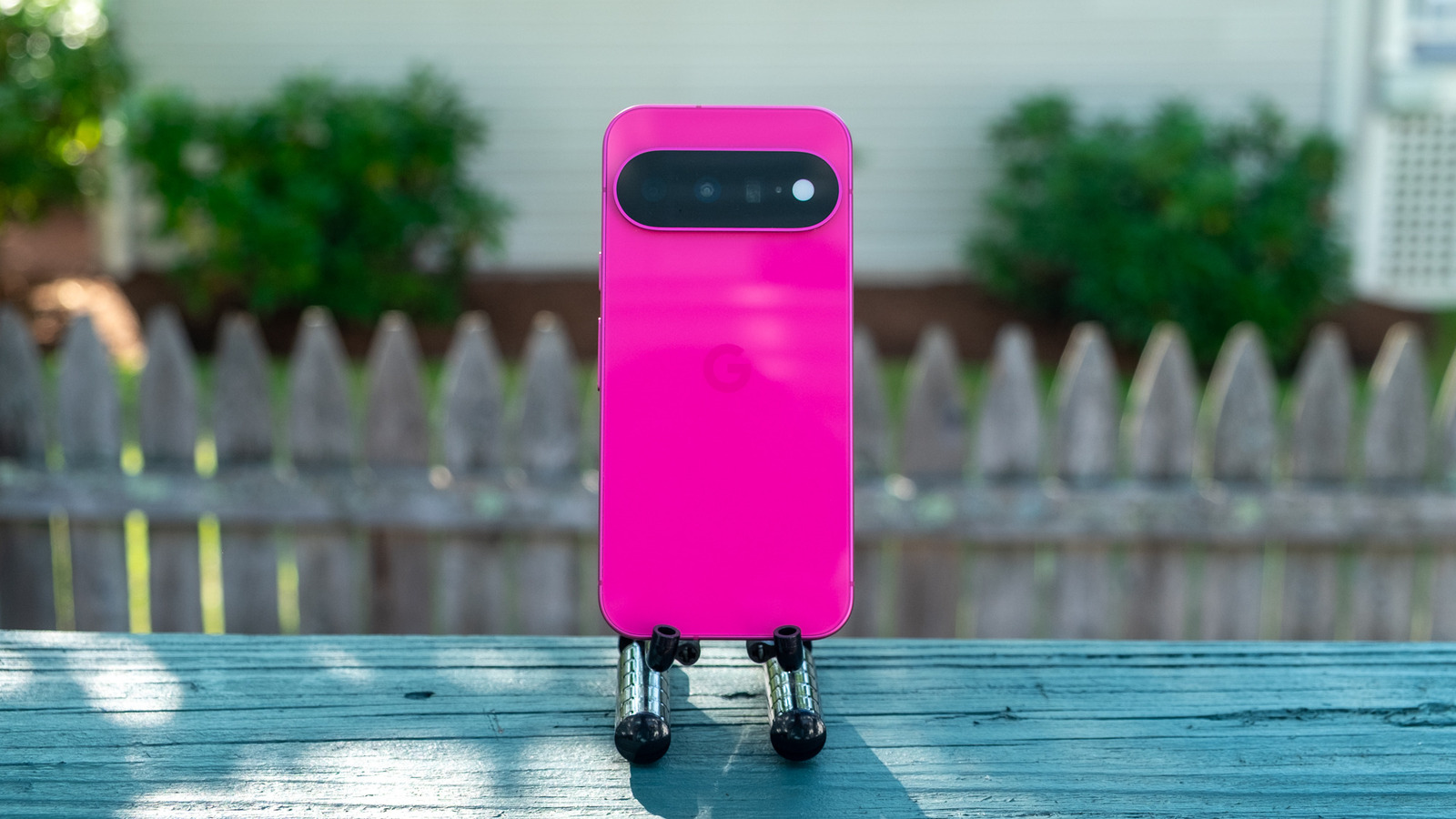
01 Engadget Last month, Engadget's Slack channel lit up with excitement over a leak of the Pixel 11, which Google officially announced last week. What was telling is that the excitement wasn't over a new hardware feature or software trick — it was about the possibility of a bold magenta color.
-
02 The Verge Devs are already doing what Google won’t This is a massive wasted opportunity for a feature that used to be so beloved on older Android phones, so developers have wasted no time doing what Google won’t.
-
03 Gizmodo Refined beauty Call it boring or lazy, but I don’t mind that the Pixel 11 Pro and 11 Pro XL merely refine the design established with the Pixel 9 Pros. After a week of testing, the Canyon and Olive colors have really grown on me. I love how light catches the polished aluminum frames (matte on the Obsidian version) and reflects off the satin glass backs. They’re handsome phones that look more elevated and luxurious than the utilitarian iPhone 17 Pros, in my opinion.
-
04 CNET The phones do have seven years of software and security updates, so they’ll still be good to use until at least 2033, as long as you look after them. Remember that the longer you keep using your phone before upgrading, the more value you squeeze out of it.
-
05 Ars Technica Google’s approach to making smartphones has changed a lot over the years. It started with Nexus phones aimed at the tinkerer and enthusiast niche back when there were countless companies making smartphones. Today, there are far fewer, and Google’s hyper-polished Pixel lineup is seeing less competition and higher sales. So maybe Google thinks it can just keep doing what works. The new Pixel 11 series is Google’s most refined yet, featuring sleek designs, smart software, and incredible screens. They’re also rather boring.
-
06 ZDNet Why you can trust ZDNET 'ZDNET Recommends': What exactly does it mean? ZDNET's recommendations are based on many hours of testing, research, and comparison shopping. We gather data from the best available sources, including vendor and retailer listings as well as other relevant and independent reviews sites. And we pore over customer reviews to find out what matters to real people who already own and use the products and services we’re assessing.
-
07 Wired Classy design. Bright, colorful screen. Nice improvements to the camera experience. Magic Capture can be useful. Gemini Intelligence is helpful, if limited. Rambler might be Google's best feature in years. Still the only major Android phones with Qi2 magnets.
Fact Corroboration
Which sources independently confirm the same facts. Hover a claim to see its sources, or a source to see what it corroborates.
Coverage by Perspective
Source Similarity
Connections show how similarly each outlet covered this story. Thicker lines = more similar framing.
Sources (7)
- verge
- cnet
- gizmodo
- zdnet
- wired
- arstechnica
- engadget