Adobe Unveils New Photoshop Features and AI Tools
-
More new Photoshop features Adobe also announced three other new options for what the company called “more precise, sharper editing.” The light adjustment layer lets you toggle through several lighting controls — exposure, contrast, highlights, shadows, whites and blacks.
Compare 1 other version
EngadgetThe new Light Adjustment Layer promises "professional-grade lighting controls" in a non-destructive layer. Those controls include exposure, contrast, highlights, shadows, whites and blacks, allowing for "camera raw-level results without ever leaving your Photoshop layers workflow," Adobe explained. As a regular Photoshop and Lightroom user, I would say that it's about time the company introduced this feature.
-
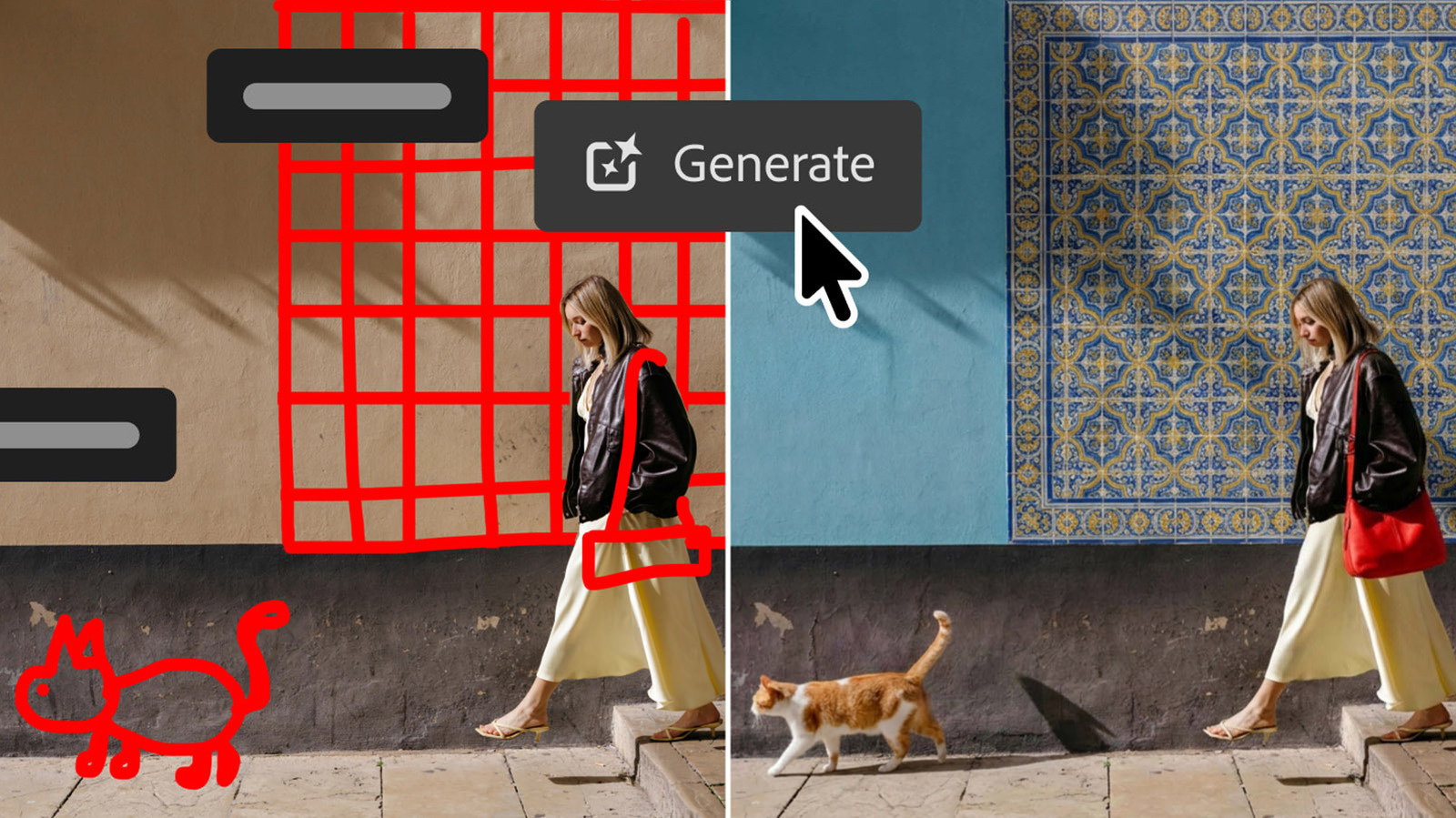
Additionally, Adobe is launching an update to its “Instruct Edit with Masks” feature, which lets you edit a mask using natural language prompts. Adobe says its Firefly Image 5 model now understands the entire context of an image, which means you’ll no longer have to manually mark every area to edit. Instead, you can describe what you’d like to change, like opening closed eyes or placing a hat on someone’s head.
Compare 2 other versions
EngadgetMeanwhile, the new AI features are all about image generation. The first of those is "Instruct Edit with Masks," powered by Firefly Image 5. Once you've masked off the working part of your image, you can describe the precise edits you want "such as opening closed eyes or placing a hat on a specific person's head" via simple prompts, Adobe explains. The unmasked areas won't be touched so important elements are protected.
CNETWith the Instruct Edit with Masks function, you can simply describe the edits you want in the masked areas — have the person smile, put the bird in flight, open the blue door — instead of having to mark every area on the image that you want to edit.
-
Adobe is also introducing the AI Assisted Editor in beta, which groups together a bunch of Photoshop's AI tools with a dedicated interface and natural-language prompt bar. Those include Prompt to Edit, which lets you transform images using natural language prompts, along with Remove Background, Generative Expand, the Remove Tool, Generative Fill, Generative Upscale and AI Markup. You can continue to use those tools in the regular pro interface as well.
Compare 2 other versions
The VergeAdobe is rolling out an AI-heavy update for Photoshop that includes a new “optional” interface dedicated to its AI tools. Launching in beta, the “AI Assisted Editor” view will show all of Photoshop’s AI features in a single toolbar, including its prompt-based image editor, background remover, an AI image extender, and more.
CNETAdobe is giving Photoshop users more AI tools for their work belt. A new feature called AI Assisted Editor lets you do a variety of things with your images using merely natural language prompts. It’s not replacing the traditional Pro Editor; it’s just another option.
2 details only one outlet reported
Independent claims that didn't surface elsewhere in our corpus. Treat as supplementary — not corroborated across outlets.
-
01 Engadget Other new features include Dynamic Text, Shapes and Paths, that extends Photoshop's Dynamic Text to any custom shape or path. Adobe also built a Stock Panel Integration that puts more than 900 million Adobe Stock assets right inside Photoshop in a dockable panel. All of those features are now available in the latest Photoshop update, which you can find on Creative Cloud.
-
02 CNET Adobe has been busy with new AI wrinkles in the past several months. AI Assistant arrived in March to enable editing with conversational commands, and in June, the company added AI assistants to Photoshop, Premiere Pro, InDesign, Illustrator and Frame.io. Earlier this month, OpenAI and Adobe teamed up to integrate dozens of photo- and video-editing capabilities into ChatGPT.
Fact Corroboration
Which sources independently confirm the same facts. Hover a claim to see its sources, or a source to see what it corroborates.
Coverage by Perspective
Source Similarity
Connections show how similarly each outlet covered this story. Thicker lines = more similar framing.
Sources (3)
- verge
- cnet
- engadget